Sending Nominations to Landlords
Select a shortlist with a status of ‘ready to nominate
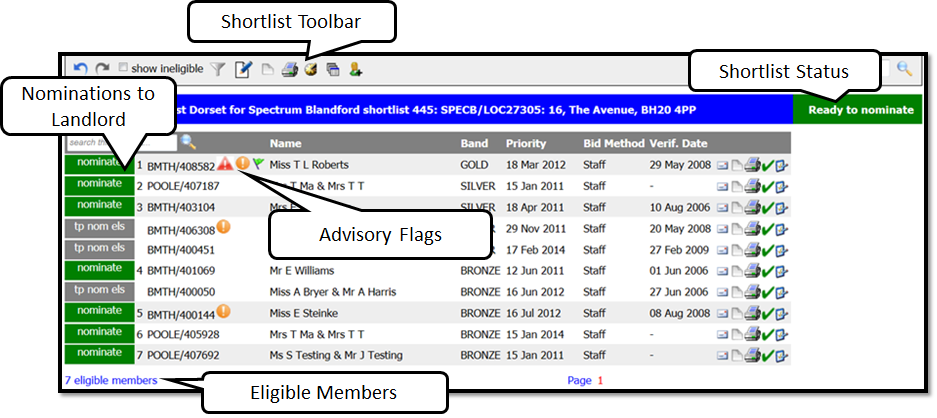
Shortlist Toolbar Key:
| Undo or redo last action |
|
| By ticking the box, members who are ineligible will be appear on shortlist greyed out |
|
| Edit filters for this shortlist |
|
| Edit shortlist filters |
|
| Add note to shortlist. Note icon will change to Yellow when note is added. |
|
| Print shortlist |
|
| Snapshot of history each time a member is offered |
|
| Add a member directly to shortlist |
|
| Once member is nominated this icon appears select button to Send Nominations to Landlord |
|
| Once member is nominated this icon appears. It is used to clear nominations |
|
| Withdrawn shortlist (manager permission only) USE WITH CAUTION |
|
| Reset shortlist (manager permission only) USE WITH CAUTION |